UX Research & Strategy
User interviews, journey mapping and competitor analysis before a single pixel.

Design That Delights and Converts
DPX provides UI/UX design services in Lagos — user research, wireframing, Figma prototyping and interface design for web and mobile products. We design experiences people love to use, backed by testing rather than guesswork.
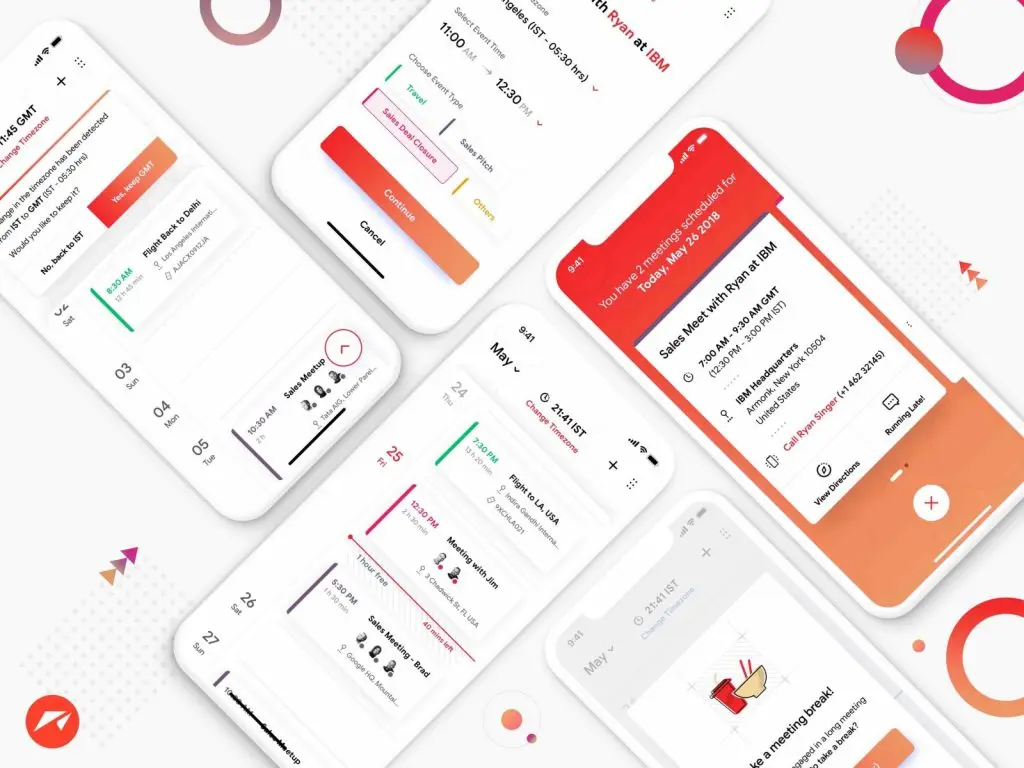
UI/UX design is the work of deciding how a product behaves before it is built: user research, information architecture, wireframes, clickable prototypes and the final interface design. A Nigerian business needs it when the product is more than a brochure — dashboards, booking flows, marketplaces, fintech apps — because the cost of discovering a broken flow after development is far higher than designing it correctly first.
User interviews, journey mapping and competitor analysis before a single pixel.
Test the experience early with clickable prototypes in Figma.
Beautiful, consistent design systems your developers will thank us for.
Real users, real tasks, real insight — before launch, not after.
WCAG-conscious color, contrast and interaction patterns.
Specs, tokens and assets packaged for smooth development.
User interviews, journey mapping and competitor teardowns — we design from evidence, not assumptions.
The skeleton of every screen and the paths between them, agreed before any visual polish.
High-fidelity screens in Figma with a reusable design system, assembled into clickable prototypes.
Real users complete real tasks on the prototype; what we learn is fixed, then developers get specs, tokens and assets.
Not every website needs a design phase. A five-page company site does not. A product does: a dashboard people work in daily, a booking flow, a marketplace with two sides to satisfy, a fintech app where a confused user is a lost customer. On those, the expensive mistakes are structural — the wrong navigation model, a signup that asks for too much too early, a screen that assumes a network connection that Nigerian users often do not have. Fixing that after development means rewriting code and retraining users. Fixing it in a prototype takes an afternoon. That gap is the whole argument for designing first.
Most of your users are on a mid-range Android phone, on mobile data they pay for by the megabyte, on a network that drops in lifts and traffic. We design for that reality: screens that work at 360px, flows that survive a dropped connection and resume where they left off, images that stay light, and forms that ask for the least information possible. Where a step needs a BVN, NIN or a bank transfer, we design the waiting and error states as carefully as the happy path, because those are the moments people abandon. We also plan for the support habit Nigerians default to: a visible way to reach a human on WhatsApp when something goes wrong.
We start with evidence: interviews with people who use the product or its competitors, a walk through your support messages, and a teardown of the two or three services your customers compare you against. From that we map the journeys and build wireframes — grey boxes, no styling, argued over quickly and cheaply. Once the structure is agreed, the interface design follows in Figma, built as a reusable system rather than a pile of screens. The prototype is then put in front of real users with real tasks, and what they struggle with gets fixed before a single line of code is written.
You get the Figma file itself, with live access throughout the project rather than a set of exported images at the end. Inside it: the full screen set, a design system of components, colour and type tokens your developers can translate directly, and a clickable prototype that behaves like the finished product. Alongside it we hand over the usability findings, the decisions behind the flows, and exported assets in the formats your build needs. If DPX also builds the product, that handoff is internal and nothing is lost in translation.
Client perspectives
Since our new store launched, sales have increased by 50%. The checkout experience is seamless and our customers love it.
User research and journey mapping, wireframes, clickable Figma prototypes, full interface design with a reusable design system, usability testing, and a developer-ready handoff with specs and assets.
Figma is our primary design tool — clients get live file access throughout the project, so feedback happens on the actual designs.
Yes — usability testing with real tasks is part of the process before launch, so problems are found in prototypes rather than in production.
Usually not. A brochure site needs good web design, not a research and prototyping phase. UI/UX design pays for itself on products people use repeatedly — dashboards, booking systems, marketplaces and apps — where a structural mistake is expensive to undo after development.
Yes. We audit the current product, watch where users get stuck, and stage the changes so the highest-impact screens improve first. That keeps the existing build working while the experience gets better in planned steps.
You do. The Figma file, the design system and every exported asset belong to you, and you keep access after the project ends.